When it comes to video resolution, the terms SD (Standard Definition) and HD (High Definition) are often used. But what do they mean, and how do they impact your viewing experience? Let’s break down the differences and explore how to choose between them.
SD, or Standard Definition, refers to a video resolution that typically ranges from 480x360 pixels (in the case of older formats) to 720x480 pixels for digital video. It was the norm for broadcasting and video playback before the advent of HD. SD video offers:
Lower clarity: Images appear less sharp and detailed compared to HD.
Smaller file sizes: Ideal for storage and streaming on limited bandwidth.
Compatibility: Works well with older devices and formats.
While SD may seem outdated, it’s still widely used in applications where high resolution is not critical, such as CCTV footage or low-bandwidth streaming.
HD, or High Definition, represents a significant leap in video clarity and detail. HD resolutions include 720p (1280x720 pixels) and 1080p (1920x1080 pixels), with even higher standards like 4K (Ultra HD) gaining popularity. HD video provides:
Sharper images: Enhanced detail and clarity make it ideal for movies, TV shows, and gaming.
Vibrant colors: Improved color accuracy and brightness.
Better viewing experience: Especially noticeable on larger screens.
With the increasing availability of HD-capable devices, HD has become the standard for most video content today.
Resolution: SD offers a lower pixel count, resulting in less detail, while HD delivers higher resolutions for more clarity.
File Size: HD videos require more storage space and bandwidth compared to SD.
Compatibility: While SD works on almost any device, HD content requires modern screens and playback devices to fully utilize its potential.
Cost: Producing and streaming HD content often involves higher costs due to the need for better equipment and higher data usage.
The choice between SD and HD depends on your specific needs:
Choose SD if you prioritize smaller file sizes, lower costs, or compatibility with older devices.
Opt for HD when video quality matters, such as for professional projects, entertainment, or content creation.
Transitioning from SD to HD involves more than just switching resolutions. Here’s what to keep in mind:
Hardware: Ensure your camera, playback device, and display support HD.
Storage: HD content requires significantly more space, so invest in larger storage solutions.
Bandwidth: Streaming HD demands a stable and fast internet connection.
Cost: Be prepared for potentially higher production and storage expenses.
 |
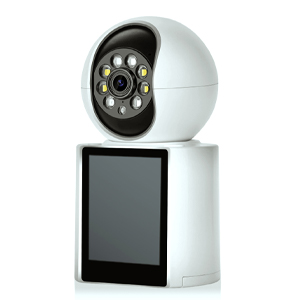
Experience crystal-clear 1080P HD resolution witha 1920x1080 pixel CMOS sensor and lR-cut filter, Four infrared LEDs ensure excellent night vision,providing clear images even in low-light conditions |
Copyright © 2023 INSEETECH LIMITED. All Rights Reserved.